DRM
Pop-up Channels supports DRM channels using your JWX DRM content.
info
DRM support in Pop-up Channels is in beta. Some features may not work as expected.
Requirements
- Your JWX account must have the DRM entitlement
- Your content must be hosted on JWX and use JWX DRM
- Your player must support key rotation
- Your JWX property must have DRM enabled to be able to create a Pop-up Channel with DRM
- For any Pop-up Channel created in a property with DRM enabled, all content used in the channel must have DRM enabled
- Only a single DRM policy is supported per channel. To use additional DRM policies, you must create additional channels.
Setting up DRM for a channel
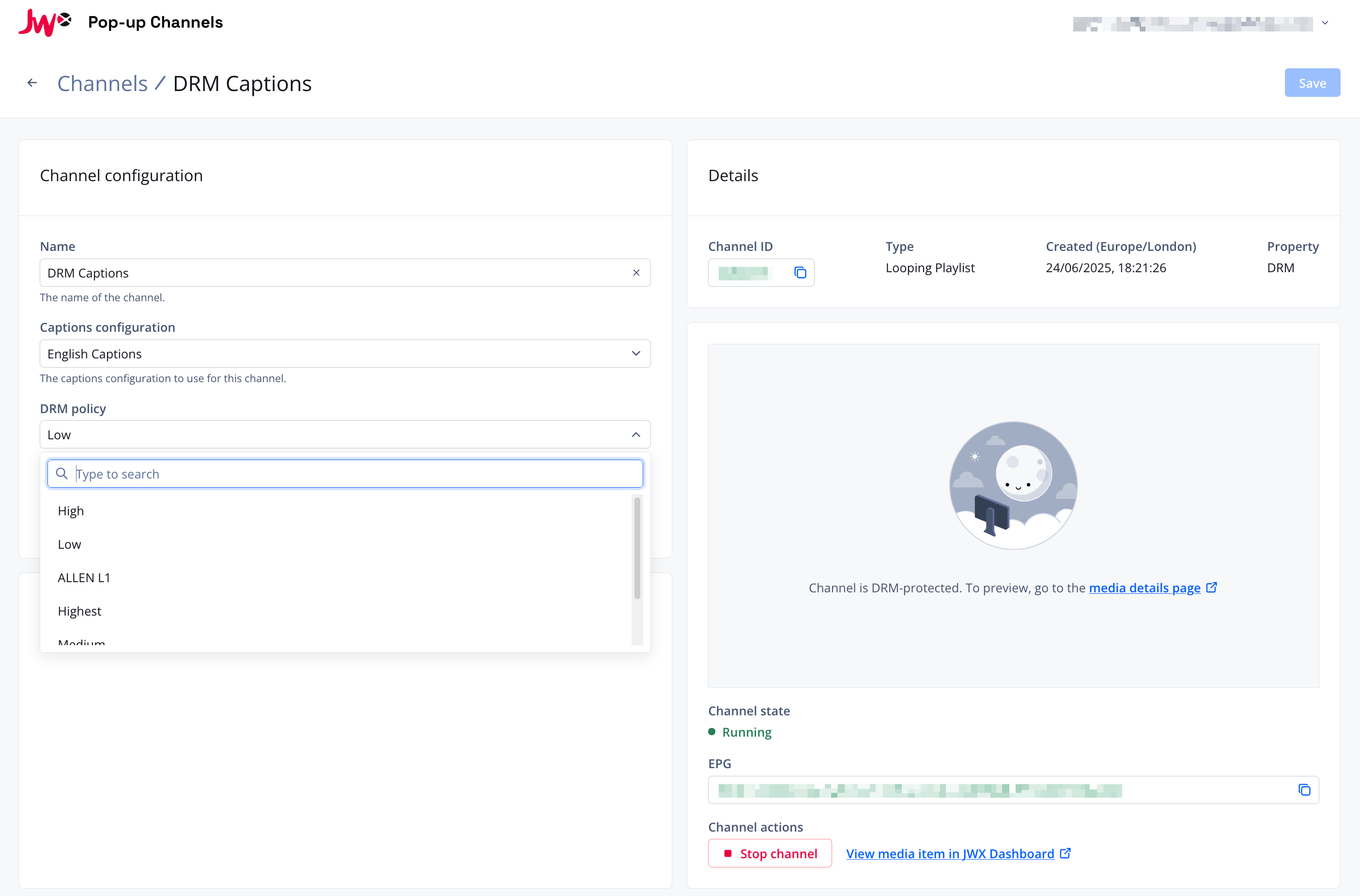
When creating a channel on a property that has DRM enabled, a "DRM policy" dropdown will appear in the channel creation form. Select the DRM policy you would like to use for the channel.
The DRM policy can also be changed after creation from the channel details page.
note
DRM channels cannot be previewed directly in the Pop-up Channels front-end. To preview a DRM channel, open the channel's media item in the JWX Dashboard.